In the fiercely competitive arena of search engine results pages (SERPs), a mere 150 characters often separates a high-performing webpage from an invisible one. This critical element is the meta description—a concise HTML attribute that summarizes a page’s content. While frequently neglected or treated as a simplistic SEO checkbox, the meta description is, in reality, one of the most potent tools in a digital marketer’s arsenal. It functions as your page’s premier advertisement, a micro-pitch delivered directly to motivated searchers at the precise moment of intent. Crafting compelling meta descriptions is not an administrative task; it is a direct conduit to dramatically enhanced click-through rates (CTR), qualified organic traffic, and superior search engine visibility. This comprehensive guide moves beyond basic theory to deliver a proven, actionable framework for meta description excellence. We will deconstruct the anatomy of high-converting snippets, revealing how to seamlessly integrate primary and latent keywords, employ persuasive language that sparks user curiosity, and formulate clear calls-to-action that compel clicks. By mastering these techniques, you can transform your meta descriptions from passive summaries into active growth engines, consistently outperforming competitors and converting valuable SERP impressions into dedicated site visitors. The following sections provide the exact blueprint to optimize this pivotal on-page element, ensuring your content receives the attention and engagement it deserves.
Key Takeaways
- The right meta description is clear and inviting.
- It summarizes your content well and catches people’s attention.
- It uses action words to spark curiosity and get clicks.
- Smoothly include important keywords to help with search engine visibility.
- Keep it between 150 to 160 characters so it doesn’t get cut off in search results, and to make it easy to read.
- Regularly test and check your performance with tools like Google Analytics
Importance of Meta Descriptions
Meta descriptions are very important for bringing users to your content in search results.
They show up under your page title and give readers a hint about what they will find.
A strong meta description gets attention and can increase click-through rates.
This leads to better visibility for your site and makes it more relevant.
A description that connects with users can boost clicks and show search engines that your content matters.
A good meta description makes you stand out in a busy online market.
It explains what you offer and shows how your content can solve users’ problems.
Investing time in writing good meta descriptions helps your SEO strategy.
This brings more qualified visitors to your site and increases your profits.
Key Elements to Include
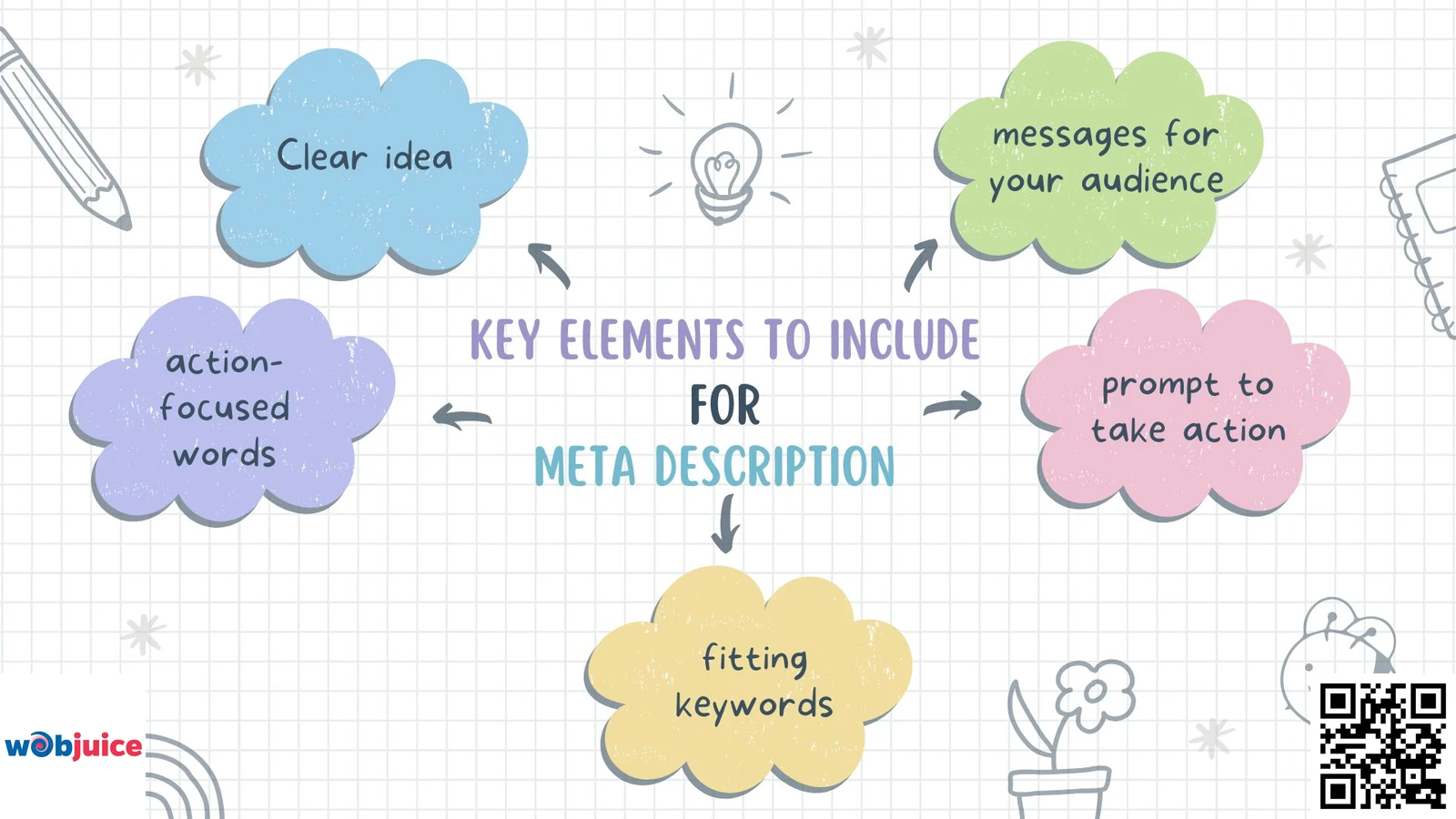
The important parts to add in a meta description are a clear idea, action-focused words, fitting keywords, messages for your audience, and a prompt to take action.
Creating a good meta-description means knowing what to add.
Begin with a summary of your content that grabs readers’ attention and makes them want to click.
Use active words to spark interest.
While meta descriptions are important, it is also key to optimize title tags.
Doing both can help improve how you show up in search engines.
Next, add keywords that matter naturally.
This helps search engines understand your content.
It also shows users that your page is important.
Do not stuff keywords; keep the description smooth and real.
Think about your target audience.
Shape your message to match their interests and needs.
This link can increase click-through rates. Users feel it is relevant and feel an urge.
Lastly, add a call to action (CTA).
Phrases like “Learn more” or “Check it out” can encourage users to take action.
Your meta description is a chance for you to shine in busy search results.
If you pay attention to these important parts, you can boost your visibility.
This will bring more visitors to your site, help your SEO work better, and reach your business goals.
Length and Character Count
A meta description should be about 150 to 160 characters long.
This length helps it show well in search results without getting cut.
Search engines like Google often shorten descriptions that are longer than this, making them less useful.
Make good and clear descriptions to improve visibility and draw clicks to your website.
Get your page’s main message across fast and clearly.
A short meta description draws clicks and improves user experience by providing clear expectations.
Remember to focus on readability.
A clear message within the character limit can boost click-through rates.
Use strong verbs and interesting language to invite users to explore more.
Getting the length of your meta description right is very important for your SEO strategy.
Optimizing this helps your visibility and engagement in search results.
This can lead to a better performance of your website.
Optimizing for Keywords
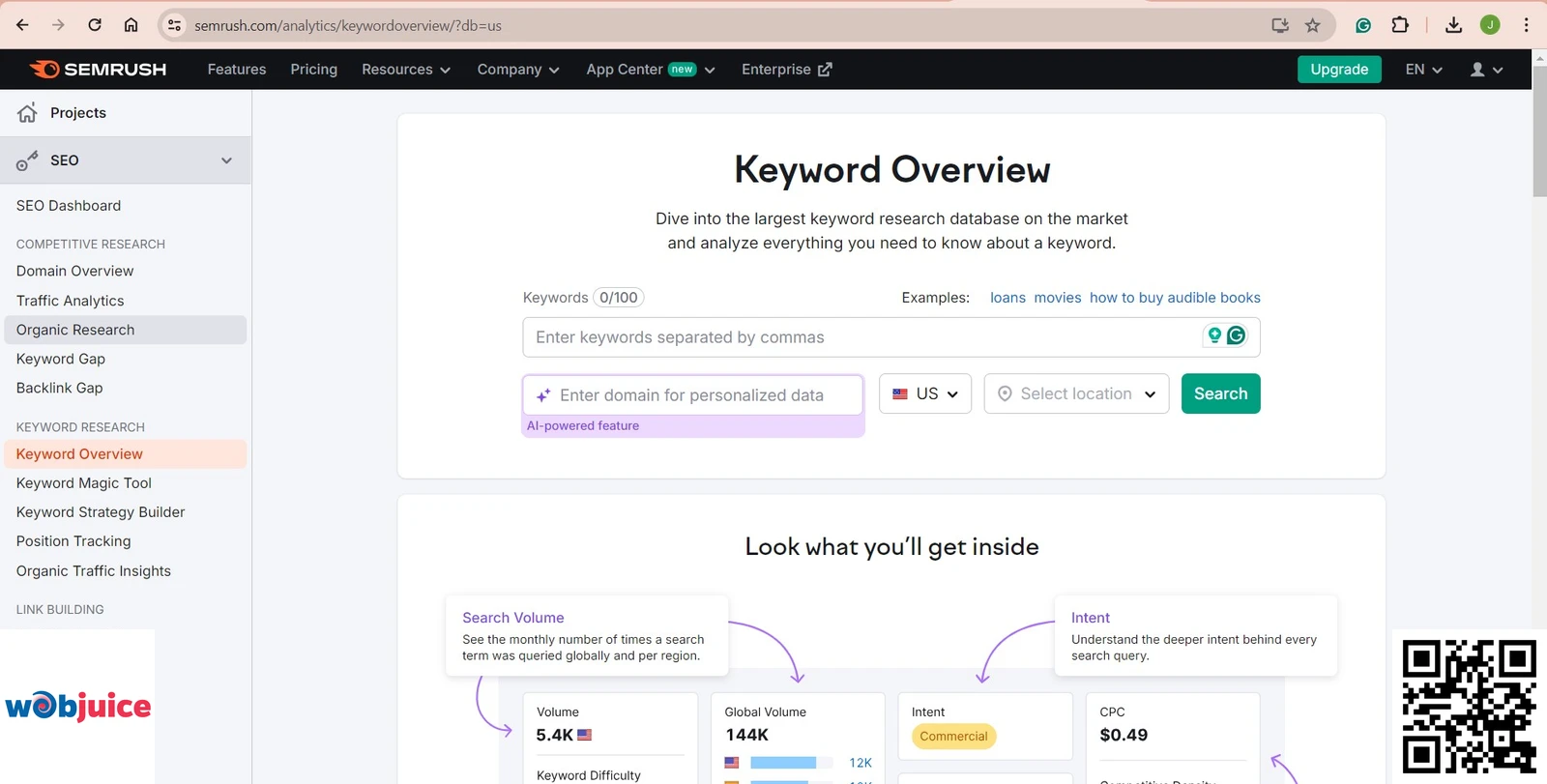
You can improve your search visibility by adding meaningful keywords to your meta description.
This shows search engines that your content matches what users are asking for.
Start by looking up popular terms about your topic.
You can use tools like SEMrush.
This tool will help you find keywords that many people search for, which fit what your audience wants.
Once you have your keywords, use them naturally in your meta description.
Make sure it flows well and doesn’t feel forced.
Keep it short, ideally 150-160 characters, so it shows up completely in search results.
Highlight what makes your content special to get more clicks.
Also, make sure the keywords stand out.
Think about using different words and similar phrases.
Search engines are getting better at knowing the meaning.
Doing this can help you rank better and bring the right people to your content.
Testing and Analyzing Performance 
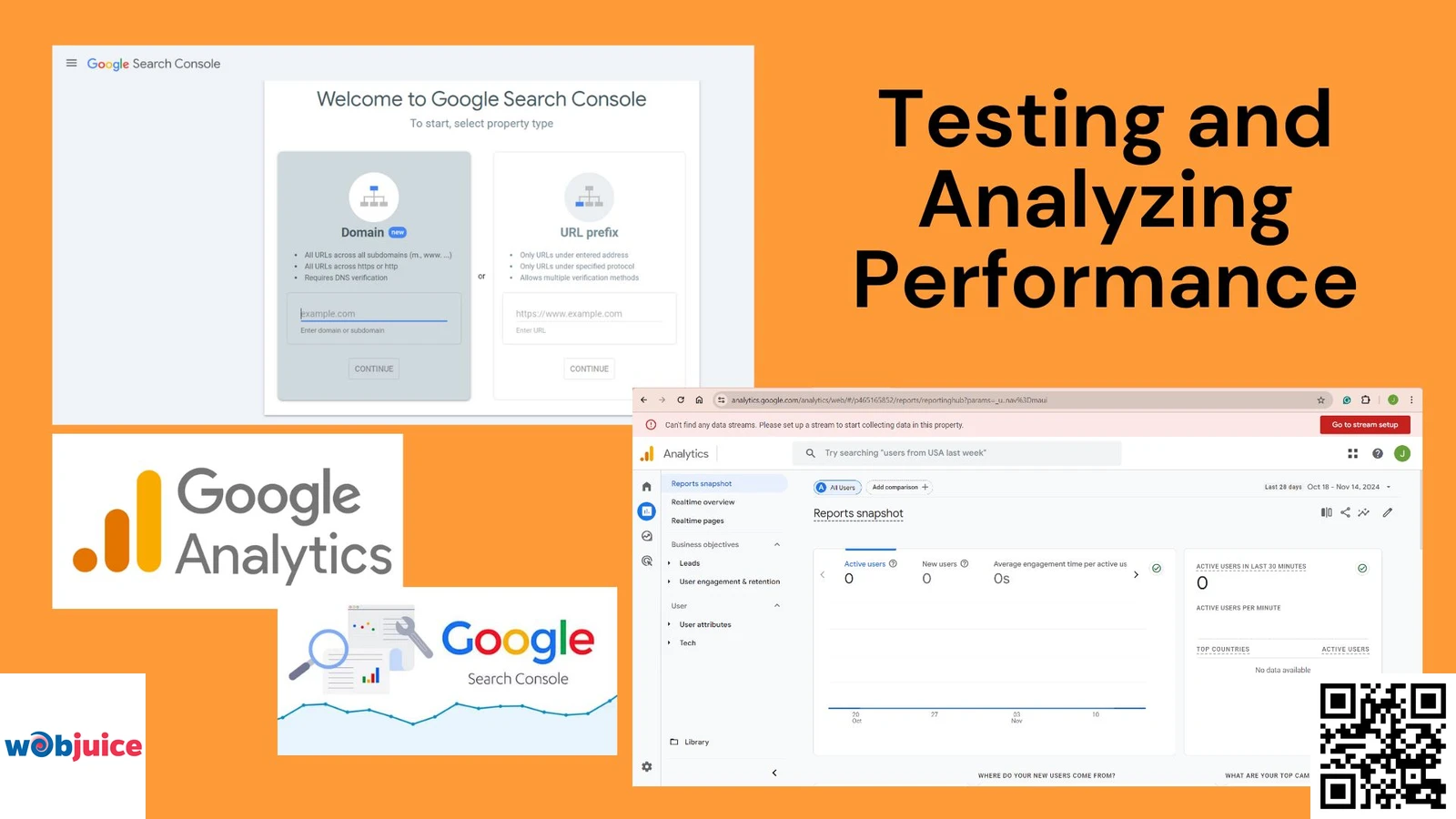
You can start by using tools like Google Analytics and Search Console.
These tools will help you track how your pages are doing.
Look at numbers like impressions, clicks, and the average rank in search results.
This information helps you see if your meta description connects with your target audience.
Think about A/B testing different versions of your meta descriptions.
By making changes, you can see which word choices or keywords get more visitors.
Make changes based on the data you gather.
Don’t feel afraid to improve it over time.
The main goal is to get users to click on your link instead of the ones from competitors.
A good meta description can help boost your click-through rate.
Regularly check and update your meta descriptions.
Make sure they match the latest trends, your audience’s likes, and the best SEO practices.
This process helps you get noticed online.
It makes sure your content gets to the right people.
By using data to guide your choices, you will stand out in the busy online world.
FAQs: Mastering Meta Descriptions for Higher Clicks & Traffic
+
The optimal length remains between 150 to 160 characters. This range ensures your full description displays without being truncated in Google’s search results, providing a complete and compelling message to users. While Google may occasionally generate longer snippets from page content, aiming for this character limit gives you the highest degree of control over what searchers see.
Exceeding this limit risks your description being cut off mid-sentence, which can appear unprofessional and reduce clarity, directly harming your click-through rate (CTR). Tools like SERP preview simulators or SEO plugins can help you check your snippet’s display in real-time.
+
No, meta descriptions are not a direct ranking factor in Google’s core algorithm. Google has explicitly stated that the keywords within a meta description do not affect a page’s ranking position. However, they wield immense indirect influence on SEO performance.
A well-crafted meta description significantly improves your click-through rate (CTR) from the SERPs. A higher CTR sends a powerful positive user signal to Google, indicating that your result is relevant and appealing for that query. Over time, this can contribute to improved rankings by demonstrating content quality and user satisfaction. Therefore, they are critical for converting rankings into traffic.
+
Focus on primary and secondary keywords naturally, without forcing them. The goal is 1-2 core keywords or key phrases that accurately reflect the page’s content and match user search intent. Keyword stuffing—cramming in multiple terms—creates a poor user experience, appears spammy, and is penalized by search engines.
Instead, use semantic variations and contextually related terms that align with how people search and speak. The description must read as a smooth, persuasive advertisement for a human, not a robotic list of keywords for an algorithm. Prioritize readability and relevance over keyword density.
+
A compelling meta description acts as a mini value proposition and call-to-action (CTA). It should:
- State a Clear Benefit: Quickly answer “What’s in it for me?” for the searcher.
- Use Action Verbs: Start with power words like “Discover,” “Learn,” “Get,” “Solve,” or “Explore.”
- Spark Curiosity or Address Pain Points: Hint at a solution, reveal a key insight, or ask a resonant question.
- Include a Soft CTA: Encourage the next step with phrases like “Read our guide,” “Learn the secret,” or “See how.”
- Be Specific and Unique: Differentiate your page from the 10 other results by highlighting a specific angle, data point, or outcome.
+
If you leave the meta description tag empty, Google will automatically generate one by extracting what it deems relevant text from your page content. While this ensures something appears, it’s a risky strategy. Auto-generated snippets are often incoherent, may not include your key value proposition, and typically lack persuasive marketing language—resulting in lower CTR.
For complete control over your SERP appearance and to maximize clicks, you should always manually craft a unique, optimized meta description for every important page on your website. This is a cornerstone of effective on-page SEO and content marketing.
FAQs: Mastering Meta Descriptions for Higher Clicks & Traffic
1. What is the ideal length for a meta description in 2025?
Exceeding this limit risks your description being cut off mid-sentence, which can appear unprofessional and reduce clarity, directly harming your click-through rate (CTR). Tools like SERP preview simulators or SEO plugins can help you check your snippet’s display in real-time.
2. Do meta descriptions directly influence Google search rankings?
A well-crafted meta description significantly improves your click-through rate (CTR) from the SERPs. A higher CTR sends a powerful positive user signal to Google, indicating that your result is relevant and appealing for that query. Over time, this can contribute to improved rankings by demonstrating content quality and user satisfaction. Therefore, they are critical for converting rankings into traffic.
3. How many keywords should I include in a meta description?
Instead, use semantic variations and contextually related terms that align with how people search and speak. The description must read as a smooth, persuasive advertisement for a human, not a robotic list of keywords for an algorithm. Prioritize readability and relevance over keyword density.
4. What makes a meta description “compelling” and click-worthy?
A compelling meta description acts as a mini value proposition and call-to-action (CTA). It should:
- State a Clear Benefit: Quickly answer “What’s in it for me?” for the searcher.
- Use Action Verbs: Start with power words like “Discover,” “Learn,” “Get,” “Solve,” or “Explore.”
- Spark Curiosity or Address Pain Points: Hint at a solution, reveal a key insight, or ask a resonant question.
- Include a Soft CTA: Encourage the next step with phrases like “Read our guide,” “Learn the secret,” or “See how.”
- Be Specific and Unique: Differentiate your page from the 10 other results by highlighting a specific angle, data point, or outcome.
5. What should I do if I don’t write a meta description for a page?
For complete control over your SERP appearance and to maximize clicks, you should always manually craft a unique, optimized meta description for every important page on your website. This is a cornerstone of effective on-page SEO and content marketing.
Conclusion
Ultimately, viewing meta descriptions as mere search engine fodder is a strategic misstep. As this guide has detailed, they are a fundamental component of user experience and organic growth. By implementing the core principles—crafting clear, benefit-driven summaries within the 150-160 character ideal, integrating target keywords naturally, and employing strong verb-driven language with a call to action—you empower your pages to stand out.
The journey doesn’t end with implementation. Continuous testing and analysis are non-negotiable. Utilize tools like Google Search Console and Google Analytics to monitor CTR, impression share, and ranking performance. Employ A/B testing to refine messaging and discover what resonates most powerfully with your audience. This data-driven cycle of creation, measurement, and refinement ensures your meta descriptions evolve alongside search trends and user behavior.
By investing in meticulously optimized meta descriptions, you achieve a clear competitive advantage: higher visibility, increased relevance, and a significant boost in qualified traffic. Elevate your snippets from afterthoughts to your most consistent performers, and watch as they become a reliable driver of sustainable organic success.